iOS 27 Siri AI: What It Changes for Your Website, App and Safari Traffic
By Eoin Villarin, 2026-10-29
iOS 27 Siri AI can read your pages, act in apps and answer from the web, while Safari now alerts shoppers to price drops. Here is what US businesses should change.
What does iOS 27 Siri AI mean for my website?
iOS 27 Siri AI, released September 14, 2026, can read and act on the page a user has open, take actions in apps and answer questions using web data crawled by Applebot. Safari also gained Notify Me for price and stock alerts. Websites need crawlable pages, clear prices and stock, and structured data to benefit.
Key takeaways
- Apple released iOS 27 with Siri AI as an English beta on September 14, 2026, and added French, Japanese, Korean, Portuguese and Spanish with iOS 27.2 on October 26, 2026.
- Siri AI works on the iPhone 15 Pro, all iPhone 16 models and later, iPhone Air and iPhone Duo, but is not available on iOS in the EU or in China.
- Apple's Applebot support page, updated September 4, 2026, says crawled web data can provide context for AI-generated answers in Siri, sometimes with links to sources.
- Safari in iOS 27 adds Notify Me, which alerts users to changes like price drops or restocks, and Engadget reports users can check hourly, daily, weekly or monthly.
- Businesses should allow Applebot, show prices and stock as real text with structured data, and put booking numbers clearly in confirmation emails.
iOS 27 Siri AI arrived on September 14, 2026, giving iPhone users in the United States a rebuilt assistant that can read what is on screen, take actions inside apps and answer questions with information pulled from across the web. Safari changed too, with AI tools that organize tabs and alert shoppers when a price drops or a product comes back in stock.
This guide is for US business owners, ecommerce managers and marketers who want to know what iOS 27 changes for their website, their app and the customers who browse on iPhone. You get the confirmed facts, the limits Apple has set, and a checklist of practical changes. Facts come from Apple's newsroom, Apple support documents and reputable outlets, linked next to each point. Feature descriptions are Apple's own claims unless I say otherwise.
iOS 27 Siri AI at a Glance
| Item | Details |
|---|---|
| iOS 27 release | September 14, 2026, free update |
| Siri AI status | Beta, English at launch |
| Languages added October 26 (iOS 27.2) | French, Japanese, Korean, Portuguese, Spanish |
| Coming by end of 2026 | Chinese (traditional), Norwegian, Turkish, Vietnamese |
| Supported iPhones | iPhone 15 Pro and Pro Max, iPhone 16 models and later, iPhone Air, iPhone Duo |
| Not available | EU on iOS, China, users under 13 |
| Usage limits | Daily limits on server-based features, with paid expanded access planned |
| New in Safari | Notify Me alerts, tabs organized into topics, extensions created from a description |
What Is Siri AI in iOS 27?
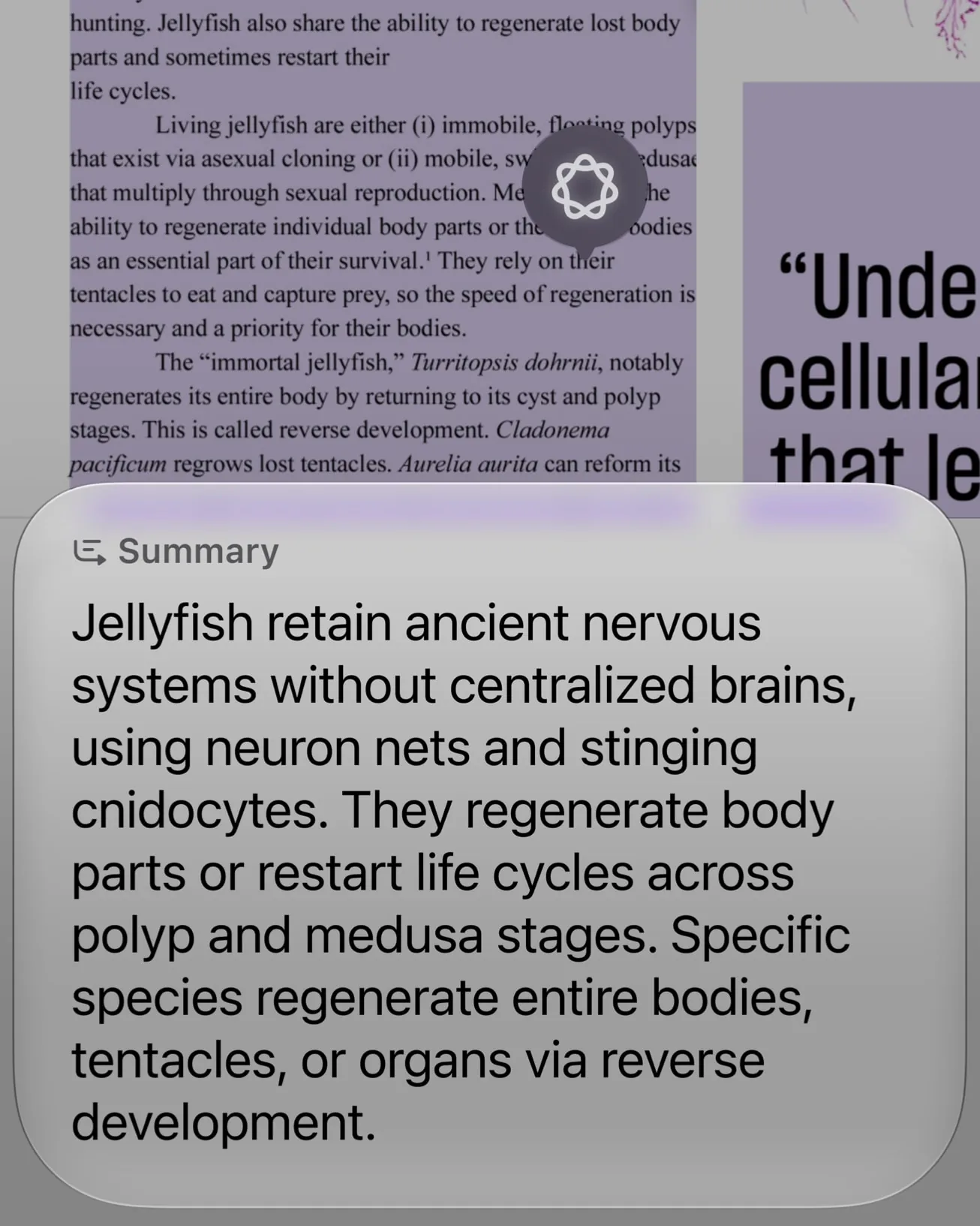
Apple describes Siri AI as an entirely new version of Siri built on the next generation of Apple Intelligence. It has four abilities that matter for businesses:
- Personal context. Siri can search a user's messages, emails and photos to answer questions, such as finding a reservation buried in an email.
- Onscreen awareness. Siri can answer questions about, or act on, whatever is on screen. Apple's own example is a user on a sports team's website asking Siri to add all upcoming home games to their calendar.
- Broad world knowledge. Siri uses information from across the web to answer questions like where to find the best local coffee spot in a new city.
- App actions. Siri can take actions in third-party apps, like texting in WhatsApp or playing a book on Audible, with Microsoft Outlook, Notability and Tripsy named as coming soon.
Users can start Siri by voice, with the side button or by swiping down from the Dynamic Island, and past conversations live in a new Siri app synced through iCloud. Apple says the underlying Apple Foundation Models were custom-built in collaboration with Google and its Gemini models, and run on device and on Apple's Private Cloud Compute servers.
Other iOS 27 features that touch your customers
- Siri mode in the Camera app lets users point the camera at something, like a poster, and ask Siri to act on it.
- Call Context shows information such as a confirmation code or reservation number when a user calls a business, according to Apple's iOS 27 release notes.
- Write with Siri and automatic proofreading work as users type across the system, including in most third-party apps.
Which iPhones Get Siri AI, and Where?
Apple lists the iPhone 15 Pro and Pro Max, all iPhone 16 models and later, iPhone Air and iPhone Duo as supported. The new iPhone 18 Pro ships with it. Older phones still get iOS 27 but not Siri AI.
Three limits are worth knowing. First, Siri AI is not available on iOS in the EU, and Apple says it is working with the EU to find a path forward. Second, it is not available in China. Third, server-based features, including Siri AI and Image Playground, have daily usage limits, and Apple says expanded access will be offered for a fee in the future. On October 26, the 27.2 updates added five languages, so Spanish-speaking customers in the US can now use it in Spanish.
How Does Siri AI Get Information From Websites?
This is the part most business owners miss. Apple's support page on Applebot, Apple's web crawler, was updated on September 4, 2026. It says data crawled by Applebot powers search in Spotlight, Siri and Safari, and can provide context for AI-generated answers in Siri and Search, sometimes with links to sources.
The same page explains Applebot-Extended, a separate robots.txt setting that lets publishers opt out of having their content used to train Apple's generative AI models. Apple says blocking Applebot-Extended does not remove a site from search results. Blocking Applebot itself is a different matter, because that is the crawler feeding Siri's answers.
In plain terms: when a customer asks Siri AI for the best plumber nearby, a store's return policy or a product comparison, Apple's answer is built partly from pages Applebot has crawled. If your site is blocked, slow or vague, you are less likely to be part of that answer. This is the same shift I describe in my guide to generative engine optimization, now arriving on the iPhone's built-in assistant.
What Changes in Safari on iOS 27?
Apple says Apple Intelligence powers three new Safari tools. For the developer side, including new CSS and HTML features, see my guide to Safari 27 features for websites.
- Notify Me watches a web page and alerts the user to changes, such as a product restock or a price drop.
- Tab organization automatically groups open tabs into topics.
- Custom extensions can be created from a plain-language description.
According to Engadget's walkthrough, users describe the change they want to track in their own words and choose to check hourly, daily, weekly or monthly. Engadget reports that the feature runs on the device rather than in the cloud. Apple has not published technical details on how Safari decides that a price or stock status has changed, so the safest assumption is that it reads what a shopper would see on the page.
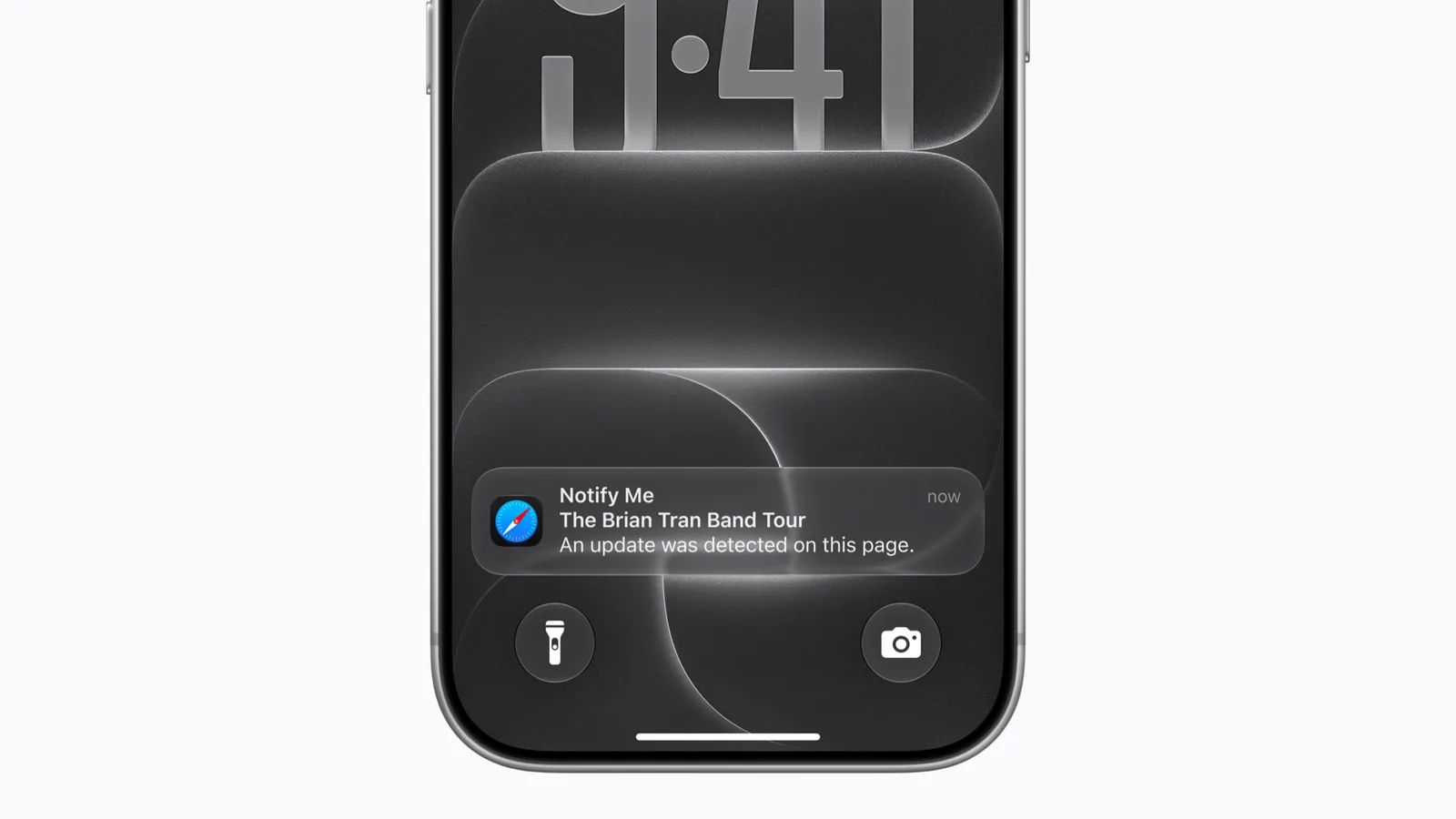
For online stores, Notify Me is a free, built-in back-in-stock and price-drop alert that you do not control. The shopper sets it up, and Safari brings them back. That is good news, as long as your product pages show price and availability clearly.

What Does iOS 27 Siri AI Mean for Apps?
Siri AI's app actions run through Apple's App Intents framework, which connects an app's content and actions to Siri, Spotlight and Shortcuts. Apple names apps like WhatsApp, Audible and Outlook as examples, which shows where it is heading: users will expect to tell Siri to reorder, rebook or check a status without opening your app.
If you already have an iOS app, adding App Intents for your most common actions, like checking an order, booking an appointment or reordering a favorite product, is the most direct way to show up in Siri AI. If you do not have an app, your website carries the full load through onscreen awareness and web answers, which is the focus of the next section.
What iOS 27 Siri AI Means for Your Website and Business
Here is the checklist I recommend for US small businesses and online stores this fall. None of it requires a redesign, but each step needs to be done carefully.
- Check that Applebot can crawl your site. Review robots.txt, your firewall and any bot protection on your CDN. Some bot protection tools block unfamiliar crawlers by default, and site owners rarely notice. Decide separately whether to allow Applebot-Extended for AI training.
- Answer real questions in plain text. Siri AI pulls from the web to answer questions about services, prices, hours and policies. Clear FAQ sections, specific service pages and up-to-date business details give it something accurate to quote. My guide to AI search for small businesses covers the content side.
- Make prices, stock and dates readable. Notify Me and onscreen awareness work from what is on the page. Show price and availability as real text, not only inside images or late-loading widgets, and back it up with Product, Offer and Event structured data. My guide to agent-ready websites shows the markup.
- Keep product URLs stable. A shopper's Notify Me watch is tied to a page. If variants, sizes or colors live on separate URLs that redirect or expire, alerts may break. One stable URL per product, with clear variant states, is safer.
- Write confirmation emails that Siri can use. Siri AI searches emails for reservations and orders, and Call Context surfaces confirmation codes when customers call a business. Put the booking or order number, date and your phone number in clear text near the top of every confirmation email. Apple has not said exactly which signals it uses, so clear, consistent text is the practical choice.
- Use standard form fields. Write with Siri and proofreading work wherever users type. Native inputs and textareas, proper labels and correct autocomplete attributes keep contact and checkout forms working with these system tools.
- Expose app actions if you have an app. Add App Intents for your top two or three tasks so Siri AI can complete them by voice.
- Watch your analytics. Compare iOS Safari sessions, direct traffic and conversion rates before and after September 14. Shifts in how iPhone users arrive will show up there first.
Frequently asked questions
When was iOS 27 with Siri AI released?
Apple released iOS 27 on September 14, 2026, with Siri AI rolling out as a beta in English on supported iPhones. The iOS 27.2 update on October 26, 2026 added French, Japanese, Korean, Portuguese and Spanish. Apple says Chinese (traditional), Norwegian, Turkish and Vietnamese are coming by the end of the year.
Which iPhones support iOS 27 Siri AI?
According to Apple, Siri AI works on the iPhone 15 Pro and iPhone 15 Pro Max, all iPhone 16 models and later, iPhone Air and iPhone Duo, including the new iPhone 18 Pro. The device must have Apple Intelligence turned on and be set to a supported language. It is not available in the EU on iOS or in China.
Can Siri AI read my website?
Yes, in two ways. With onscreen awareness, Siri can read and act on a page a user has open in Safari. Separately, Apple says data crawled by its Applebot crawler powers Siri search and can provide context for AI-generated answers in Siri, sometimes with links. Blocking Applebot in robots.txt reduces your chances of appearing in those answers.
What is Safari Notify Me in iOS 27?
Notify Me is an Apple Intelligence feature in Safari that watches a web page and alerts the user when something changes, such as a price drop or a restock. Users describe the change in plain language and, according to Engadget, choose to check hourly, daily, weekly or monthly. It is set up by the shopper, not the store.
Do I need an app to work with Siri AI?
No. Siri AI can use your website through onscreen awareness and web answers, so a fast, clear site is enough for most small businesses. An iOS app with App Intents adds voice actions like reordering or booking. It is worth building when customers repeat the same task often enough to want it hands-free.
Getting Ready for Siri AI
iOS 27 Siri AI turns the iPhone's built-in assistant into another way customers find, compare and act on businesses. The winners will be sites that Apple can crawl, that state their facts plainly, and that show prices, stock and bookings in a form both people and AI can read.
If you want a developer to audit your site for Applebot access, structured data, product pages and iPhone checkout, get in touch here and tell me about your business. You can also browse my case studies to see recent projects for US clients. I will reply within 24 hours.